Manage Tasks

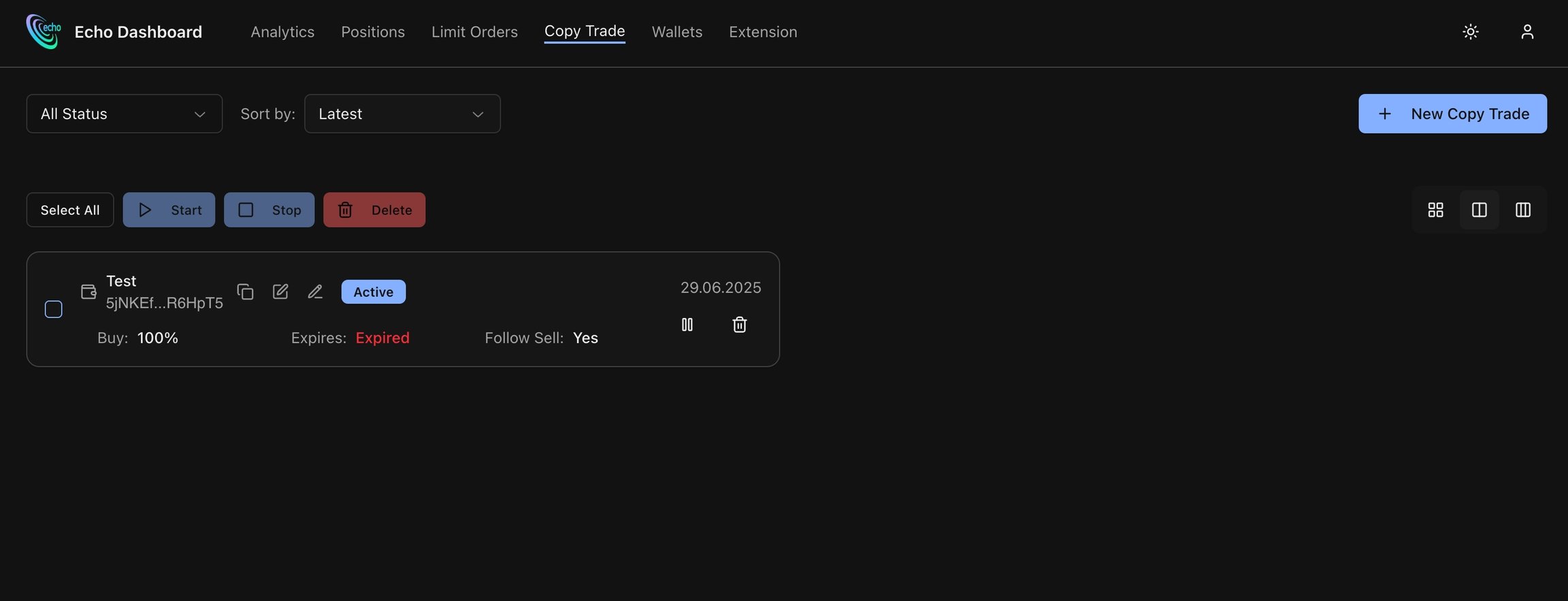
Each copy trade task contains
- Wallet address (exportable)
- Rename Task option
- Edit Task option
- Start / Stop / Delete task
Create Copy Trade task

Advanced Settings

Documentation Index
Fetch the complete documentation index at: /llms.txt
Use this file to discover all available pages before exploring further.


| Button | Description |
|---|---|
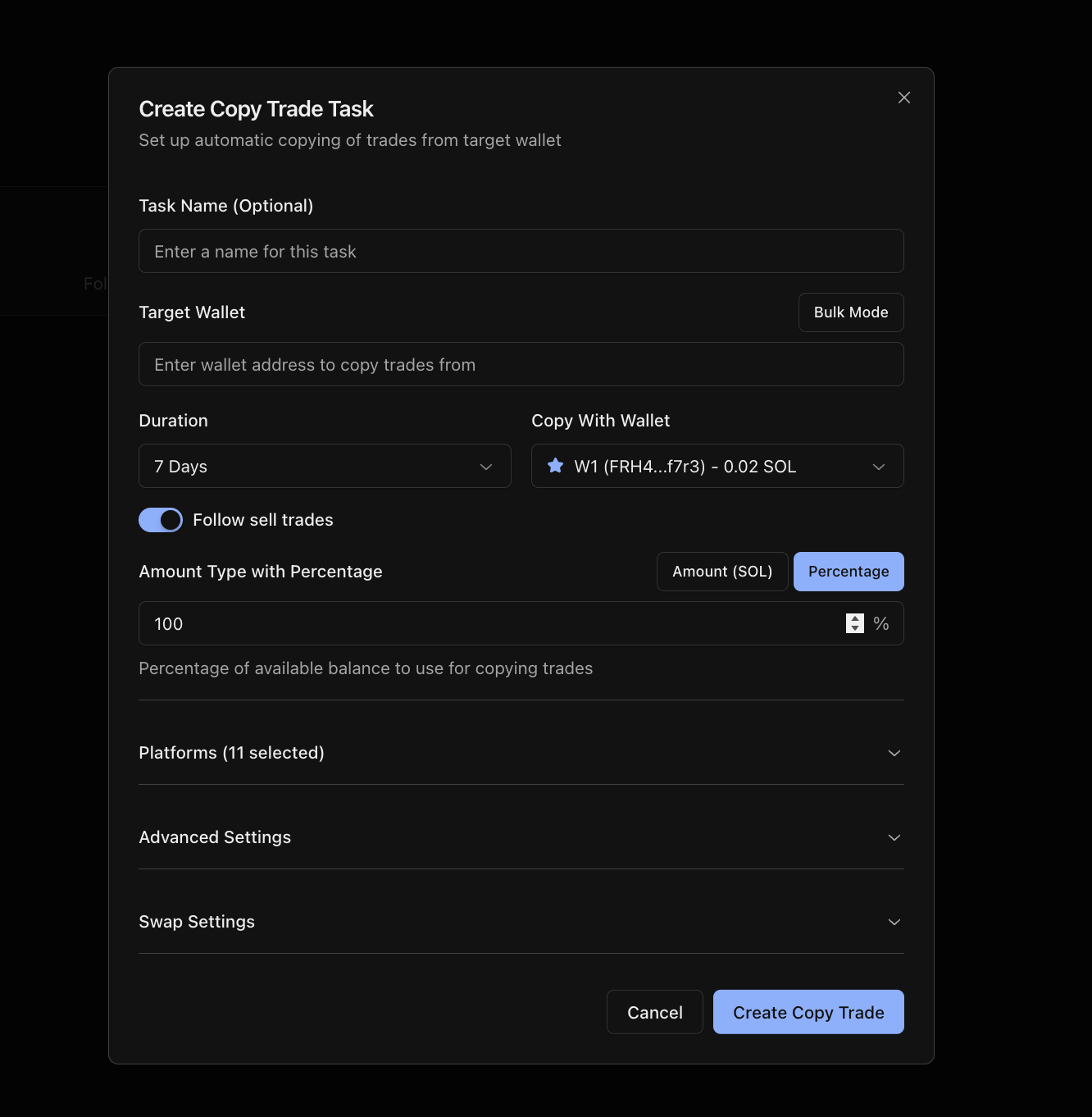
| Task Name | Change name of the task |
| Target Wallet | Enter trader’s wallet address to follow |
| Duration | Setup expiry timer for the task |
| Copy With Wallet | Select your own wallet address to perform trades |
| Follow sell trades | Copy trader’s sells |
| Amount Type | Amount (SOL) - type exact amount of SOL to spend. Percentage - type % of trader’s buy amount to use |
| Platforms | Select platforms you want to copy |
| Advanced Settings | Check described section Advanced Settings |
| Swap Settings | Specify Fee, Tip and Slippage for executing transactions. |

| Button | Description |
|---|---|
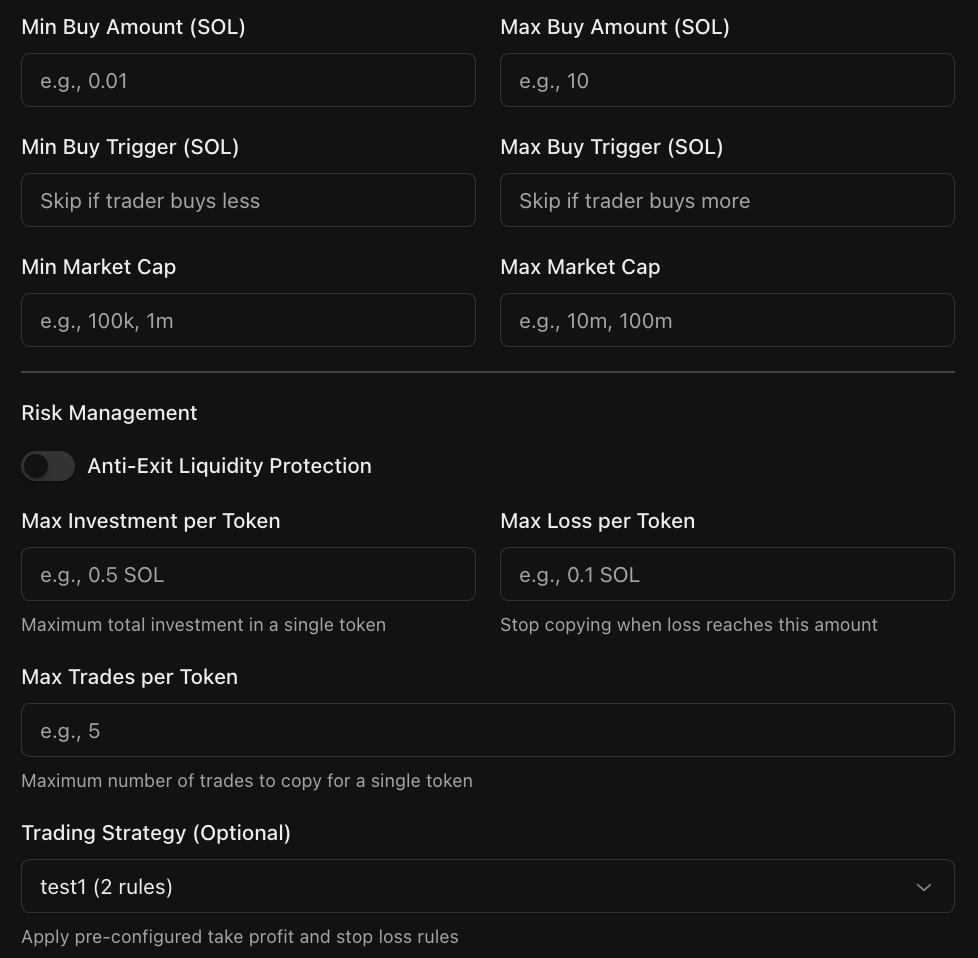
| Min/Max Buy Amount | Works only if you’ve set an Amount Type With Percentage. It lets you control the minimum and maximum amount of SOL that can be spent per transaction |
| Min/Max Buy Trigger | Min / Max trader’s buy amount to perform buy |
| Min/Max Market Cap | Min / Max token market cap to perform buy |
| Anti Exit Liquidity | Setting automatically stops task if trader: • Buy-sell within 5 seconds • Does it 3 times |
| Max Investment per Token | Limit of SOL to spend in task. Each buy adds to your tracked total, while each sell reduces it. |
| Max Loss | Max amount of SOL you want to lose. Task will stop after limit reach |
| Max Trades Per Token | Max count of buy transactions for certain token |
| Trading Strategy | Select preconfigured trading strategy |