
Manage Orders
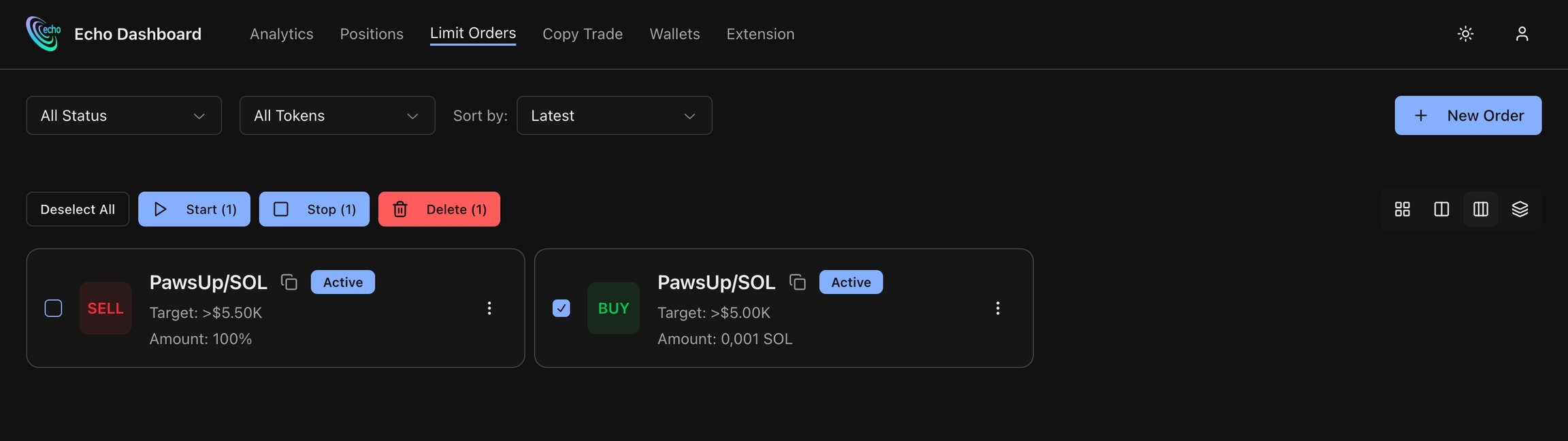
Create Limit-Order
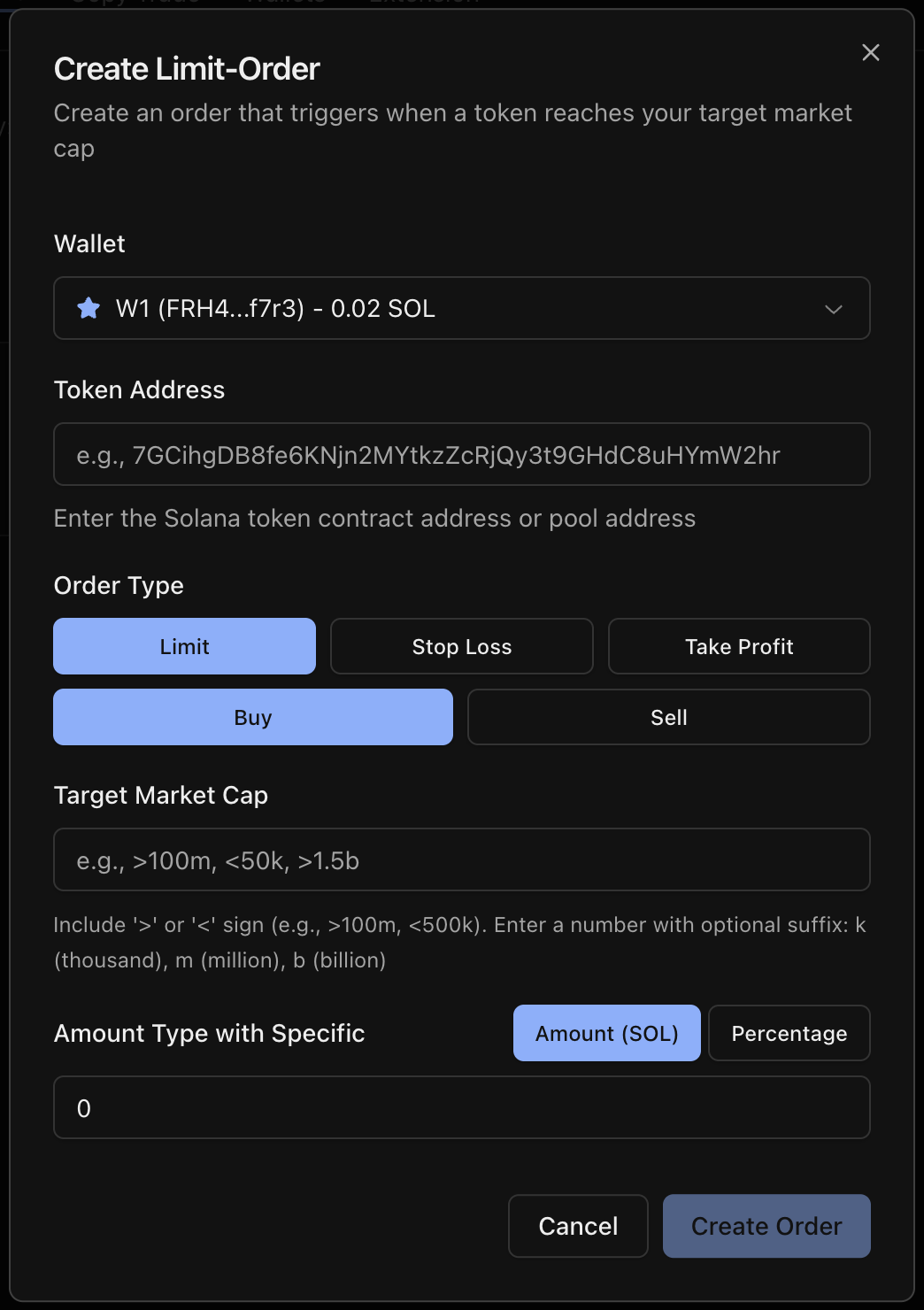
| Button | Description |
|---|---|
| Wallet | Select wallet to use for trading |
| Token Address | Paste token address of needed coin |
| Order Type | Limit orders let you choose to buy or sell a specific token. Stop Loss and Take Profit work only when selling tokens you already hold |
| Target Market Cap | For limit orders, you must use the < or > sign before the number.For Take Profit and Stop Loss, enter the number without any symbols (except optional suffix) |
| Amount Type | Amount (SOL) - type exact amount of SOL to spend. Percentage - for buy, type % of your total holdings to use. For sell - percentage of your current position |
| Swap Settings | Specify Fee, Tip and Slippage for executing transactions |